
How to Use TotalChat's Visual Flow Builder to Build WhatsApp & Instagram Funnels
Step-by-step practical tutorial to design drag-and-drop conversational flows, capture lead fields, apply conditional routing, and connect AI without coding.
3 min read
- ✓Zero-code Drag & Drop canvas to build omnichannel funnels across WhatsApp Cloud API and Instagram DM.
- ✓Structured User Input capture (name, email, budget) synced automatically into your built-in CRM.
- ✓Hybrid nodes combining interactive buttons, conditional logic, Drip sequences, and AI Agents.
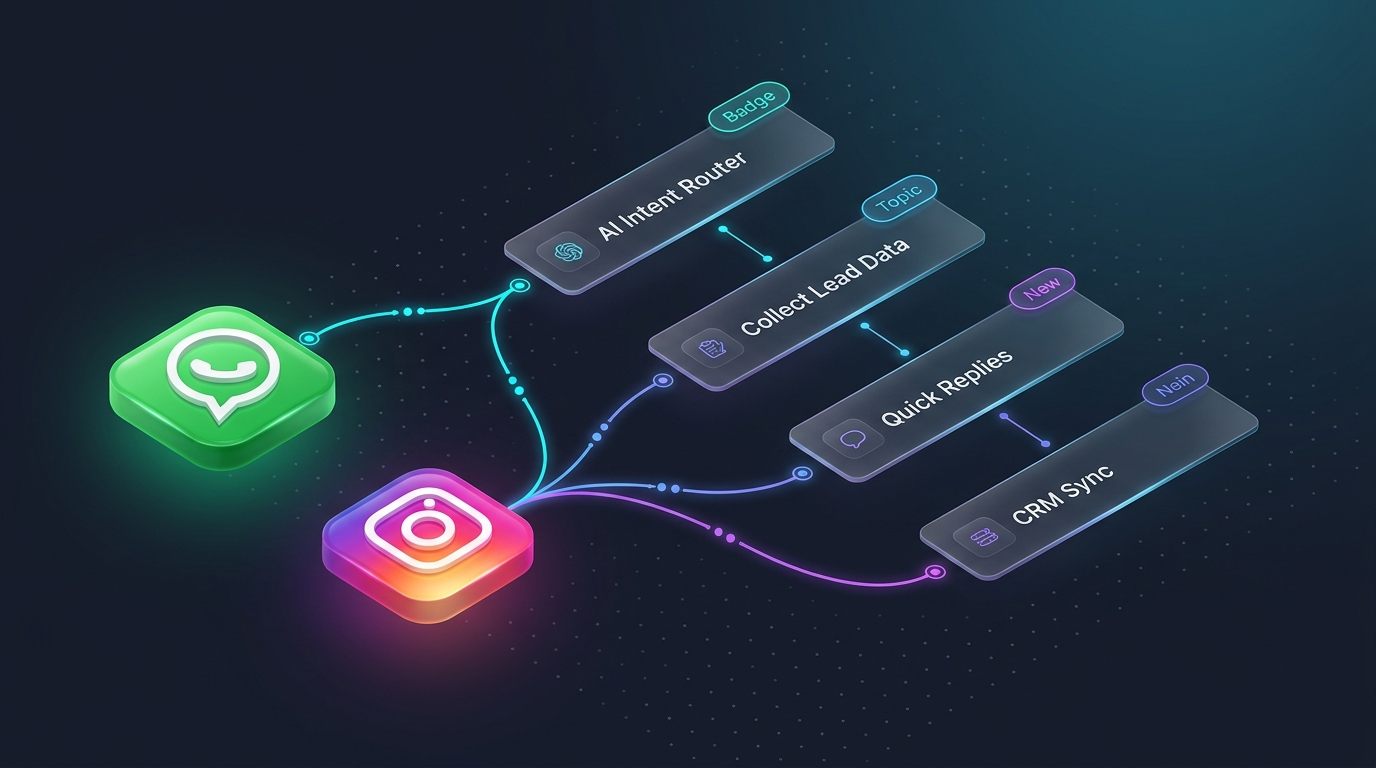
Building a high-converting conversational sales funnel no longer requires writing webhook code or maintaining brittle decision trees. TotalChat’s Visual Flow Builder lets you design interactive experiences for WhatsApp Business API and Instagram Direct by dragging and connecting modular blocks on an infinite real-time canvas.
In this step-by-step tutorial, you will learn how to structure a complete funnel from the initial entry trigger all the way to automated lead qualification and human handoff.
1. Configure the Entry Trigger (Start Bot Flow)
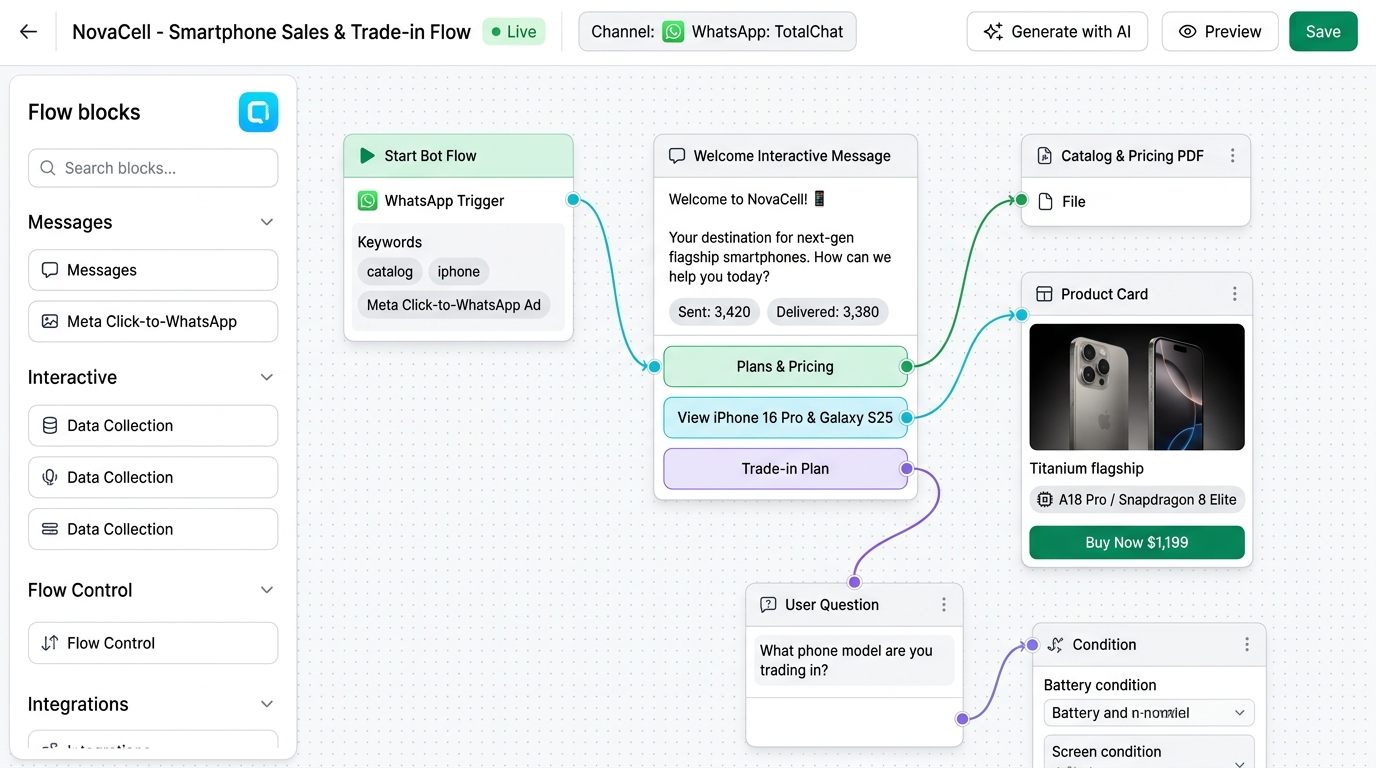
Every automation starts with the Start Bot Flow node. This block defines which user action launches the funnel across WhatsApp or Instagram:
- Exact or partial keyword match: Triggered when a user messages keywords like “pricing”, “catalog”, “quote”, or “demo”.
- Instagram Reel & Post Comments: Automatically send a private DM the moment a follower comments a specific keyword on your post or reel.
- Click-to-WhatsApp / Click-to-Instagram Ads: Match the incoming campaign referral payload from Meta Ads to route prospects into a tailored landing flow.
2. Design Interactive Buttons and List Messages
Instead of forcing mobile users to type out long replies, connect Interactive Buttons (up to 3 quick-reply buttons) or Interactive List Menus (up to 10 structured options on WhatsApp).
Conversion Golden Rule: Interactive buttons eliminate mobile typing friction and boost reply rates by up to 68% compared to open-ended text questions.
Right after your welcome message, offer three clear paths:
- 🛍️ Browse Catalog & Pricing
- 📅 Book a Live Demo
- 💬 Talk to Support
3. Capture and Validate Lead Data with User Input Flow
When a prospect chooses to request a quote or book a call, connect a User Input Flow block. This node collects structured data step by step and validates the format before moving forward:
- Email & phone validation: Built-in format verification prevents typos and invalid contact records.
- Custom Fields: Store company size, budget, or city directly inside the contact’s TotalChat CRM profile.
- Automated Tagging: Apply tags such as
Qualified_LeadorPro_Plan_Interestthe instant a user clicks a specific option.

4. Combine Conditional Branches with Conversational AI
The true power of TotalChat’s Flow Builder comes from blending deterministic rules with AI Agents:
- Condition Node (
Condition): Check whether the contact already holds a VIP tag, whether the message arrived during business hours, or whether their budget exceeds a target threshold to route them to a priority sales queue. - AI Agent Node (
AI Reply): If a user asks an open question mid-funnel, the AI node queries your trained knowledge base (PDFs, URLs, and FAQs), answers accurately, and guides the buyer back into the conversion flow. - Follow-up Sequences (
Drip Sequence): If a prospect stops replying mid-flow, trigger an automated nudge 30 minutes or 24 hours later in full compliance with Meta messaging windows.
5. Test, Publish, and Inspect Node-Level Analytics
Before rolling out your funnel to all incoming traffic:
- Click Save Flow in the top-right corner of the canvas.
- Send your test keyword from your own WhatsApp or Instagram account to walk through every branch.
- Monitor delivery and click-through metrics directly on each block in the canvas to spot bottlenecks and continuously optimize conversion.
Test Your Knowledge
Take this quick 2-minute interactive quiz to test your key takeaways.
Which Flow Builder block defines the keyword, ad referral, or Instagram comment that triggers the funnel?
What is the purpose of the "User Input Flow" node inside a WhatsApp or Instagram funnel?
How do Condition nodes and AI Agent nodes work together on the same canvas?
Experience Live AI Chat in Real Time
Click the options below to see how TotalChat automated flows respond
TotalChat Concierge · Online
Hello! Welcome to NovaCell Store. How can our AI assistant help you today?
Ready to automate your channels with TotalChat?
Connect WhatsApp, Instagram, Facebook, and Telegram with zero ban risk, conversational AI agents, and unified CRM.
Keep Learning with Related Guides
AI Sales Agent: How to Turn Conversations into Real Revenue 24/7
Learn how TotalChat's AI Sales Agent qualifies leads, recommends catalog products, overcomes buyer objections, and closes orders across WhatsApp, Instagram, and Messenger.
How to train your AI agent in TotalChat with documents, URLs and FAQs
A step-by-step guide to set up your AI assistant without coding, sync it with real data and avoid made-up answers.
WhatsApp Flows and Catalogs: Turn chats into instant purchases
How to deploy interactive catalogs, native WhatsApp Flows forms and secure checkouts directly within conversations.